







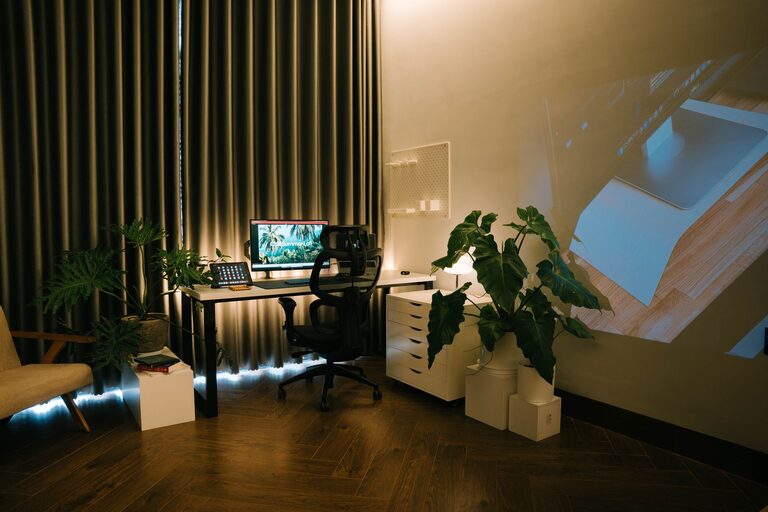
Creating a relaxing home workspace is essential for maintaining focus, reducing stress, and enjoying your workday. Whether you work remotely full-time or occasionally need a quiet spot for tasks, a comfortable and calming environment can make all the difference. This guide will walk you through effective ways to design a workspace that nurtures productivity while keeping relaxation front and center.
Why a Relaxing Workspace Matters
A well-designed workspace doesn’t just improve your productivity; it also supports your mental well-being. Clutter, poor lighting, and uncomfortable furniture can distract you and increase tension. By creating a soothing area, you set a positive tone for your work, making it easier to concentrate and feel motivated.
Choose the Right Location
Find a Quiet Spot
Start by selecting a space with minimal distractions. A quiet corner of a room or a separate room altogether works best. Avoid high-traffic areas that might cause interruptions.
Consider Natural Light
Position your workspace near a window if possible. Natural light improves mood and energy levels and reduces eye strain. If natural light is limited, invest in quality lighting that mimics daylight.
Invest in Comfortable Furniture
Ergonomic Chair and Desk
Comfort is key. Choose an ergonomic chair that supports your back and promotes good posture. Adjust your desk height so your arms are at a comfortable angle when typing.
Add a Footrest or Cushion
Small additions like a footrest or seat cushion can enhance comfort during long work sessions, preventing fatigue.
Declutter and Organize
Keep Surfaces Clear
A tidy desk helps clear your mind. Limit items on your desk to essentials such as your computer, a notebook, and a few personal touches.
Use Storage Solutions
Use drawers, shelves, or organizers to keep supplies and paperwork out of sight. Label storage boxes for easy access and better organization.
Incorporate Calming Colors and Decor
Choose Soothing Colors
Colors like soft blues, greens, or neutrals create a calm atmosphere. Avoid overly bright or harsh colors that may cause distraction.
Add Personal Touches
Include elements that make you feel relaxed, like plants, artwork, or photos. Greenery, especially, is known to reduce stress and improve air quality.
Manage Noise Levels
Use Noise-Canceling Tools
If external noise is an issue, consider noise-canceling headphones or white noise machines to block distractions.
Soft Background Music
For some, gentle instrumental music or nature sounds can enhance focus and create a peaceful ambiance.
Optimize Technology Setup
Position Screens Correctly
Place your monitor at eye level about an arm’s length away to avoid neck strain and reduce glare.
Cable Management
Keep cables organized with clips or ties to prevent tangled messes, which can be visually distracting.
Establish a Routine and Boundaries
Set Work Hours
Define specific work hours to maintain a balance between work and personal life, making it easier to switch off when needed.
Take Breaks
Incorporate short breaks to stretch or relax your eyes. Use a timer or app to remind you to step away regularly.
Add Elements to Promote Relaxation
Aromatherapy
Consider using essential oil diffusers with calming scents like lavender or chamomile to create a soothing atmosphere.
Comfortable Accessories
Have a cozy throw blanket or soft cushion nearby to make your space inviting during breaks.
Maintenance Tips
Regularly Clean Your Space
Set aside time weekly to dust, wipe surfaces, and reorganize. A clean space prevents clutter buildup and maintains a calming environment.
Update as Needed
Don’t hesitate to refresh your workspace by switching up decor or rearranging furniture to keep things feeling fresh and inspiring.
—
Creating a relaxing home workspace takes some thought and effort, but the benefits are well worth it. By paying attention to comfort, organization, lighting, and ambiance, you can build an environment that supports both productivity and well-being. Start with small changes, and enjoy the positive impact on your workday.